Android Developer Verification Checklist: Are You Actually Covered?
In 2026, Android Developer Verification stopped being a vague announcement and became something you actually have to deal with. And if you're not sure whether you're already covered — you're in good company. Most developers aren't.
Here's the good news: you don't need to read a wall of policy text. Find the section that sounds like you, answer a few yes/no questions, and you'll know where you stand in about five minutes.
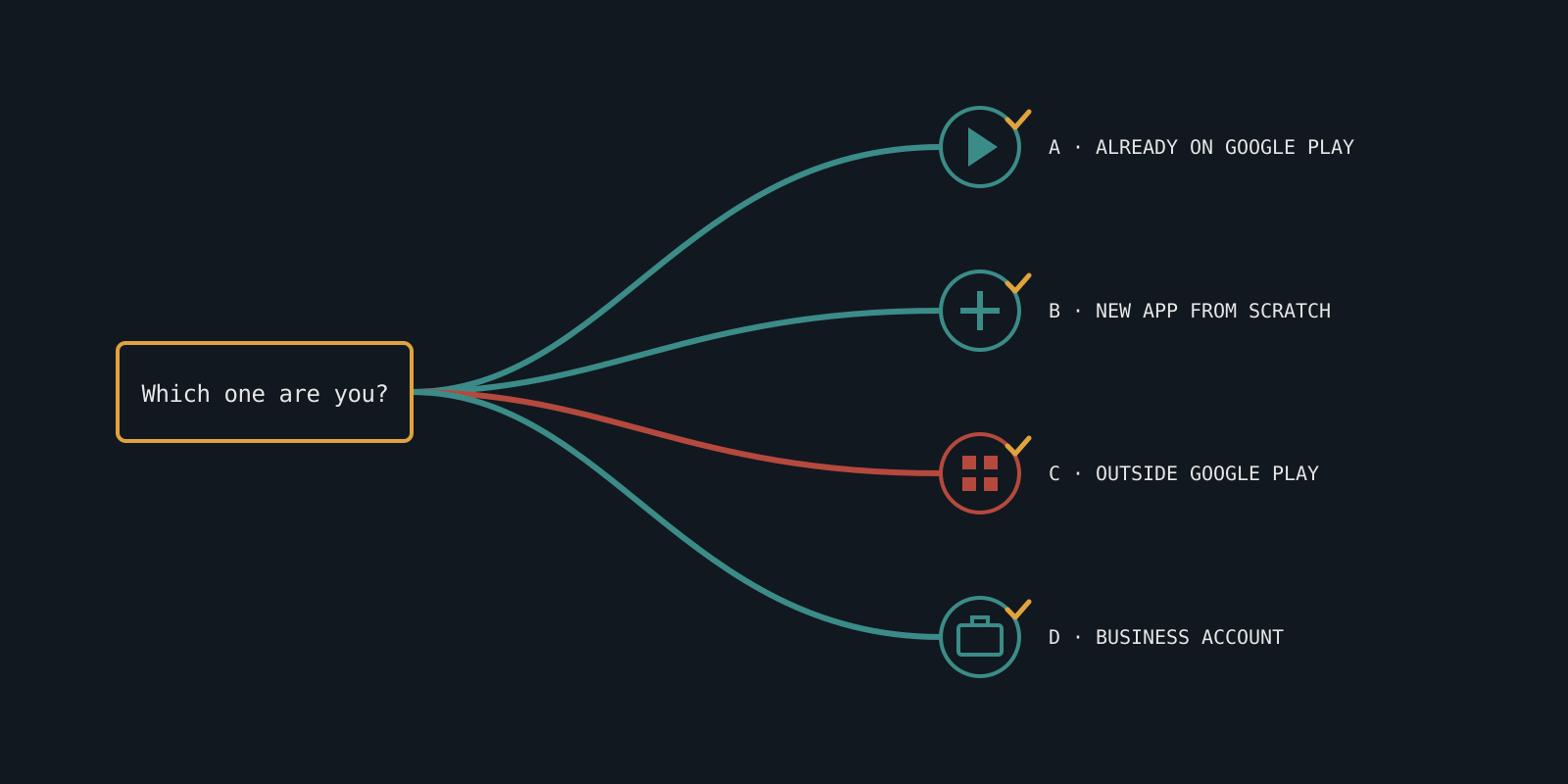
You already publish on Google Play
- Have you completed Play Console's identity verification? If yes, you're very likely already covered — Google automatically registers eligible apps from verified Play developers.
- Check, don't guess. Open Play Console and look for your Android Developer Verification status there.
- Heads up: having a Play Console account isn't automatically the same as having completed verification. Confirm it rather than assume it.
You're starting a new app from scratch
- Are you a hobbyist or student, or planning to charge and scale? Your answer decides which account type fits.
- Hobby project staying on up to 20 devices? A Limited distribution account is free.
- Commercial or wider distribution? You'll need a Full distribution account — a one-time $25 fee, the same fee Play Console already uses.
You distribute outside Google Play
- Alternative app stores or direct APK downloads? This is the group most likely to be caught off guard. Play Console verification does not cover you automatically.
- You'll need to register separately through the Android Developer Console.
- Never touched Google Play? This still applies to you.
You run a business or organization account
- Does your D-U-N-S record exactly match the legal name and address in your Google payments profile? If you're not sure, read why your D-U-N-S number must match exactly.
- This is a separate, extra check on top of the identity verification above. Both need to line up.
What happens if I do nothing?
Starting September 30, 2026, apps from unregistered developers won't install the normal way on certified Android devices in Brazil, Indonesia, Singapore, and Thailand. The rollout expands globally in 2027.
Advanced users can still install those apps via ADB. But a normal person tapping "download" on your app won't get that far — so if you have users in those countries, it's worth sorting out now.
Make sure the rest of your listing is solid too
Verification gets your app installable. SubmitSafe checks your title, descriptions and screenshots for Google Play policy risks — in about 60 seconds.
Check your listing