Android Developer Verification vs. Play Console Verification: The September 30 Deadline Explained
Enforcement countdown
6 days remaining until enforcement begins on September 30, 2026
From September 30, 2026, apps on certified Android devices in Brazil, Indonesia, Singapore, and Thailand must be registered by a verified developer. Global rollout follows in 2027.
There are now two different verification programs with similar names, and confusing them is easy. One has existed since 2023 and only concerns your Google Play account. The other is new, platform-wide, and starts biting on September 30, 2026. Here's how to tell them apart — and what each one demands from you.
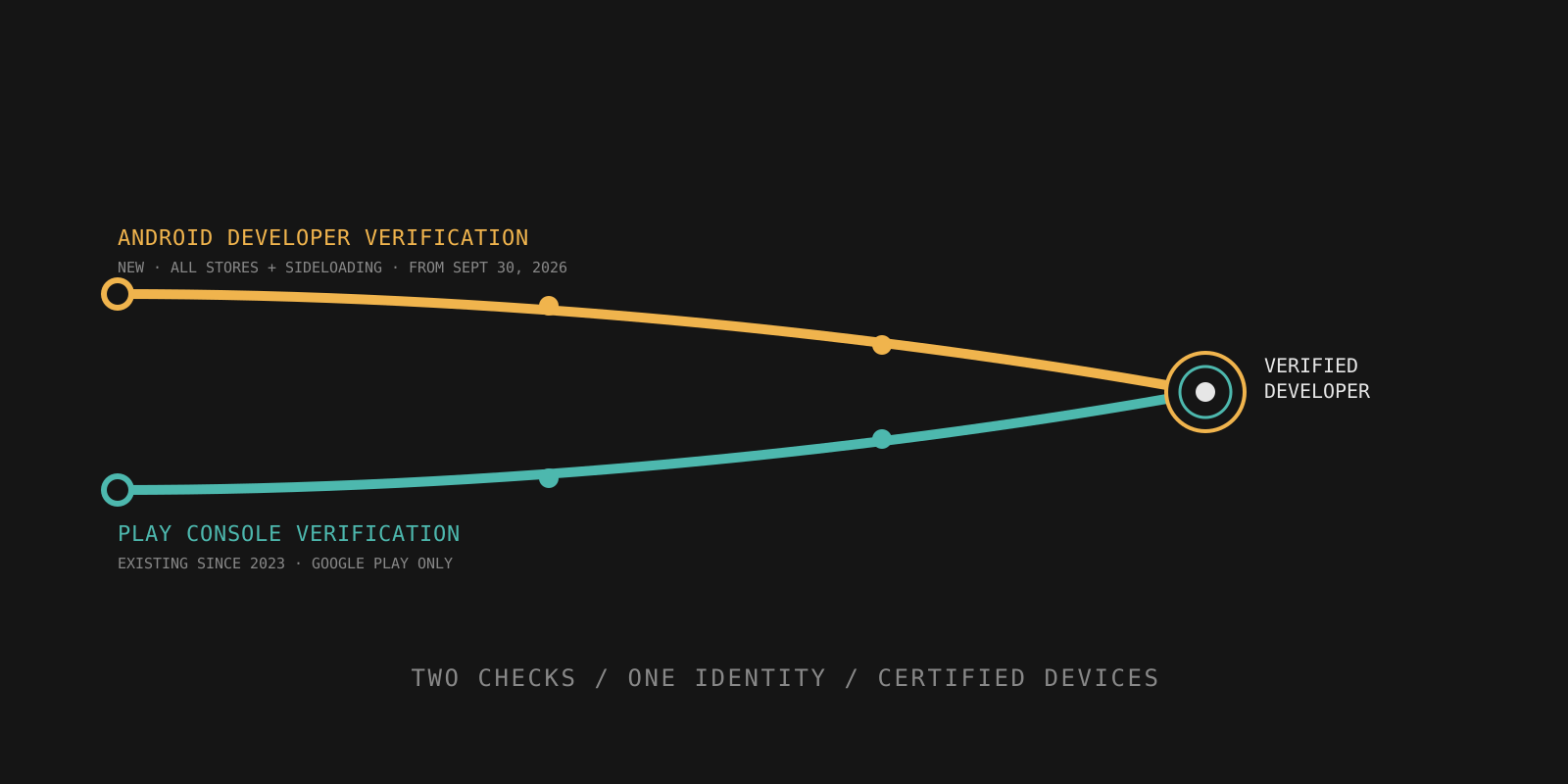
The two verifications side by side
These are separate systems with separate scopes. Meeting one does not automatically mean you've handled the other — although for most Play developers, the overlap is large.
- Checks developer identity for app installation on any certified Android device
- Applies across Google Play, alternative app stores (HONOR App Market, OPPO App Market, Galaxy Store, Palm Store, V-Appstore, GetApps), and direct APK sideloading
- Applies to everyone distributing Android apps — even entirely outside Google Play
- Enforcement begins September 30, 2026 in Brazil, Indonesia, Singapore, and Thailand; global rollout in 2027 (exact date not yet announced)
- Only covers the developer's Google Play Console account itself
- Only relevant to Google Play distribution
- Already in effect for existing Play developers
What Android Developer Verification actually is
Android Developer Verification is an identity check, not an app review. Google's own analogy: it's like the ID check at the airport — it confirms who the traveler is, and it's separate from the security screening of their bags. Google is confirming who the developer is, not re-reviewing your app's content or where it came from.
Concretely, verification has two steps. First, you verify your identity: legal name, address, email, and phone number — plus an official government ID for personal accounts, and a D-U-N-S number plus website verification for organizations. Second, you register your package names, proving ownership of your apps with the APK signed by your private key.
The timeline
November 2025. Developers who registered for early access were invited to complete verification for apps they distribute outside of Google Play.
March 2026. The full Android Developer Console experience became available to all developers — the rollout began in earnest.
September 30, 2026. Enforcement begins: apps must be registered by verified developers to be installed on certified Android devices in Brazil, Indonesia, Singapore, and Thailand. The system verifies installations from Google Play, HONOR App Market, OPPO App Market, Galaxy Store, Palm Store, V-Appstore, and GetApps.
2027. The protections expand globally to all apps on certified Android devices. An exact date has not been announced.
Limited vs. full distribution accounts
Limited distribution is a free account type built for hobbyists, students, and teachers. Apps registered under it can be installed on up to 20 devices that end users have explicitly authorized. If you build side projects or distribute to a small circle of testers, this is likely all you need.
Full distribution costs a one-time $25 fee and offers unlimited apps and installs. It's the account type for organizations and professional developers with wide distribution — and the one you need if your app is meant for the general public.
What it means for organization accounts
If you register as an organization, Android Developer Verification ties into the existing D-U-N-S requirement: you'll need to provide your D-U-N-S number and verify your organization's website. The same rule that trips up Play Console verification applies here too — your business details need to match your records exactly. We covered that failure mode in detail in why your D-U-N-S number must exactly match to verify your Google Play developer account.
If you're already on Google Play
Some reassurance first: for most Play developers, no new identity action is required — your existing verified Play identity already meets the identity requirement. And according to Google, 99% of apps on Play have been registered automatically using information developers already provided.
That said, "automatically" isn't a guarantee for your specific apps. Check your Play Console Home page and register any remaining apps you want to keep distributing before September 30, 2026 — otherwise you risk removal from Google Play and broken installs in the affected countries.
Most current Play developers likely don't need to do anything new for identity — but "likely" isn't the same as "verified." Confirm your status in Play Console instead of assuming.
What happens if you miss the deadline
If your apps aren't registered to a verified developer by September 30, 2026, they won't install through the normal path on certified Android devices in Brazil, Indonesia, Singapore, and Thailand. Technically inclined users can still install them via ADB and an advanced flow — but that's not how normal end users install apps, and it won't save your distribution in those markets.
Your existing installs don't vanish, and nothing changes outside the four launch countries on day one. But with the global rollout coming in 2027, treating this as a four-country problem is a short-lived strategy.
Action checklist by account type
Personal accounts
- Check your verification status in Play Console (Settings → Developer Account).
- If you're not yet verified, have a government-issued ID, proof of address, and a phone number ready before you start.
Organization accounts
- Confirm your D-U-N-S number and business documentation are up to date — and that they match your Google payments profile exactly, character for character. Our D-U-N-S guide walks through the exact-match requirement.
- Verify your organization's website as part of the process.
Anyone distributing outside Google Play
- Register through the Android Developer Console even if you've never used Google Play — alternative stores and sideloading are inside the scope of this requirement, not outside it.
- Register your package names and prove ownership with your signing key.
- Choose Limited distribution (free, 20 devices) or Full distribution ($25) based on how widely you distribute.
Verified is step one — compliant is step two
Once your developer identity is sorted, make sure the rest of your listing is compliant too. SubmitSafe reviews your title, descriptions, metadata and screenshots for Google Play policy risks in about 60 seconds. Organization accounts should also double-check their D-U-N-S record match.
Check your listingIs Android Developer Verification the same as Play Console verification?
No. Play Console account verification has existed since 2023 and only covers your Google Play developer account. Android Developer Verification is a new platform-level identity check that applies to app installation on any certified Android device — including alternative app stores and direct APK sideloading — not just Google Play.
What happens on September 30, 2026?
From that date, apps installed on certified Android devices in Brazil, Indonesia, Singapore, and Thailand must be registered by a verified developer. Apps from unregistered developers won't install through the normal path in those countries. Global rollout follows in 2027.
Do I need Android Developer Verification if I only publish on Google Play?
For most Play developers, no new identity action is required — your existing verified Play identity meets the requirement. However, you must register your app package names in Play Console. Google states 99% of apps on Play have been registered automatically, but you should check your Play Console Home page and register any remaining apps before September 30, 2026.
What is the difference between Limited and Full distribution accounts?
Limited distribution is a free account type for hobbyists, students, and teachers — apps can be installed on up to 20 devices that end users have explicitly authorized. Full distribution costs a one-time $25 fee and offers unlimited apps and installs, aimed at organizations and professional developers.