5 Metadata Mistakes That Get Google Play Listings Rejected
The single biggest factor in getting approved on Google Play isn't a clever trick — it's building a genuinely solid product and describing it honestly. Everything below comes from watching the same five mistakes get flagged over and over.
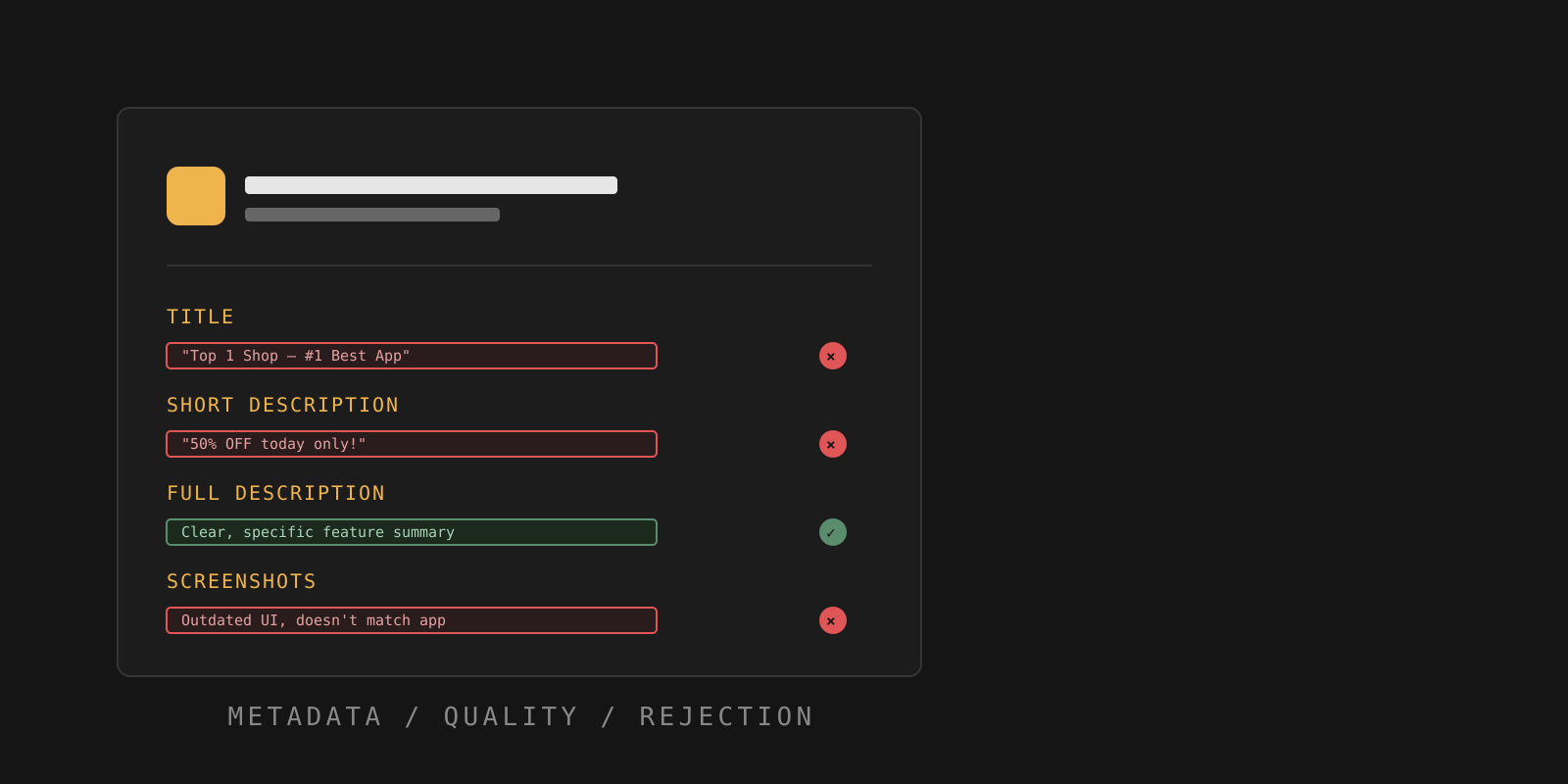
Start with the product, not the wording
Before touching a single word of your listing, it's worth saying plainly: no amount of clever copy fixes a weak product. Whether you're shipping a game, a store, a chat app or anything else, approach it critically. If something is thrown together carelessly, a reviewer will eventually notice — and the result is usually a rejection, sometimes followed by a suspension if the pattern repeats.
With that said, plenty of solid apps still get rejected purely because of how the listing is written. These five mistakes account for most of them.
1. Claims of rank in the title
Your title doesn't have to be perfectly unique, but it shouldn't try to sell itself with words like "Top 1," "#1," or "The Best." With hundreds of thousands of apps already on Google Play, a claim like that is impossible to verify — and it isn't fair to every other app making the same claim. This is one of the fastest ways to trigger a rejection for claims of rank.
2. Promotional language in metadata
Avoid promising discounts, sales or "free" anything directly in your title or short description. Words like discount, sale, or "-30%" read as promotional claims rather than a description of what the app does. If you genuinely run a promotion, you can mention it briefly and factually inside the full description — just don't lead with it, and don't let it replace an actual explanation of your app's functionality.
3. Title and description spam
Take the time to actually explain what your app does. If your full description just repeats the title, or strings together the same keywords over and over instead of describing real functionality, that reads as spam — not marketing. Write it the way you'd explain the app to a person, not a search engine.
4. Description promises features you don't have
It's tempting to describe your app in the most impressive terms possible, but the description has to match what the app actually does. Listing a feature that doesn't exist yet, or overstating what a feature accomplishes, falls under misleading claims — and it's one of the easier violations for a reviewer to catch, since they simply open the app and check.
5. Screenshots that don't match the real app
Screenshots are metadata too. If they show an old version of your interface, a mockup that was never shipped, or a feature that isn't actually in the build a user downloads, that's a metadata/screenshot mismatch. Update your screenshots every time you meaningfully redesign the app — not just when you remember to.
All five of these are checked automatically before your listing ever reaches a human reviewer. Fixing them before submission is almost always faster than appealing after a rejection.
Check your listing before Google does
SubmitSafe scans your title, descriptions and metadata for exactly these issues — free, in about 60 seconds.
Check for freeCan I say my app is the "best" or "#1" in Google Play metadata?
No. Ranking and superiority claims like "Top 1," "#1" or "the best" are treated as unverifiable claims of rank and are one of the most common metadata rejection reasons.
Can I mention discounts or sales in my app description?
You can describe a real, current offer inside the full description factually, but leading with promotional language — percentages off, "free," "sale" — in the title or short description is a frequent trigger for rejection.
What counts as keyword stuffing in a Google Play listing?
Repeating the app name, category words, or search terms unnaturally across the title and description — instead of naturally explaining what the app does — is considered spam and can trigger a rejection.
How to Write a Google Play Appeal That Actually Gets Reviewed
Coming soon.